


Table of Contents
Dubbing Studio: AI speeds up the process, you perfect it!
The advantages of Dubbing Studio: Low cost due to the use of artificial intelligence technologies. The ability to edit all the content yourself. No need to spend money on actors and a sound engineer. One person (a native speaker) will replace actors, translators, and a sound engineer. Use our Dubbing Studio program (download for Windows 10, 11) with the ability to manually edit the actors’ phrases and their translation into another language. Get a 100% dubbed, high-quality video at a reasonable price.
Attention: now AI Dubbing is available from any language into Latvian, Russian, and Ukrainian only.
Lip Sync
Synchronized dubbing of videos that matches the actors' articulation.
24 voices
AI voice dubbing for videos. 24 different AI voices. for each available language
Literary translation
Professional translation of actors' lines by a native speaker (for Latvian, Lithuanian, Estonian, English, Russian, German and Polish).
17 languages
Dubbing from any language into Latvian, Russian, and Ukrainian. In development: Lithuanian, Estonian, English, Chinese, Japanese, German, French, Spanish, Korean, Arabic, Danish, Italian, Polish, and Portuguese.
As a result you will receive:
Ability to upload videos from a local computer and from YouTube, Google Disk, Tik Tok, Tencent Video, Vimeo, Twitch, Rumble, Spotify, Dailymotion into Dubbing Studio (available for download on Windows and MAC) and via our API.
A separate audio file with the finished translation and a separate M&E track (Music and Effects track, a separate audio layer containing only music and sound effects, without dialogue).
A subtitle file (in .srt format).
Saves time and budget.
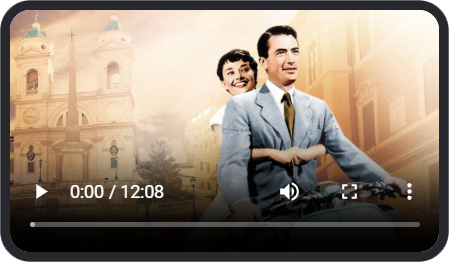
Original video in English (Sample 10 minutes of video from the film Roman Holiday, 1953).
Video with automatic dubbing in Latvian. Sample 10 minutes of video from the film Roman Holiday, 1953.
Dubbed video in Latvian. 100% quality. A 10-minute sample of footage from the film Roman Holiday, 1953.
Best choice for:
Movies, shows, TV series
Documentary programs
Promotion and advertising
Reviews
Advantages of Dubbing Studio:
- An intuitive graphical interface, which includes an English version.
- It's a client-server architecture. All file processing is handled on our end, using our GPU servers.
- It is possible to dub the video yourself (with the help of AI) or to use a professional translator from MultiVoice.AI.
- Voice-over ar Dubbing for a 90-minute video completed in 1-2 days.
- Works with YouTube, Google Disk, Tik Tok, Tencent, Vimeo, Twitch, Ruble, Spotify, Dailymotion.
Our clients
Questions and Answers
1. Download Dubbing Studio.
2. Sign up for free.
3. Create a new order in the “Orders” section.
4. Upload your Video.
5. Select the source and target languages for the Dubbing.
6. Choose additional options (if necessary).
7. Click Confirm order.
8. Your video processing will begin: first, it will be downloaded, and then the audio track will be converted into text. You will receive an email notification as soon as this stage is complete.
9. Find your project in the Project list and click “Edit”. You will be taken to the visual editor.
10. Check if the recognized text matches the video. Make corrections if necessary.
11. Ensure that the speakers have been identified correctly.
12. Check the data on the waveform display. If you want the speech to match the lip movements (articulation), you need to check and adjust the start and end times of each line. You can move, shorten, or extend the duration of each line on the waveform using your mouse.
13. Send the project for automatic translation. The AI will translate the text into the selected language.
14. Check the accuracy of the translation. Currently, AI cannot yet provide a 100% high-quality and accurate translation. Attention: The number of characters in the translation for each phrase should not exceed the number of characters in the original text.
15. Assign the voice actors (speakers). For example, for the Latvian language, there are 10 male, 10 female, and 4 children’s voices available. Choose the voices at your discretion.
16. Click the “Send for AI Synthesis” button.
17. After the speech synthesis is complete, go into the project and listen to the result. If necessary, correct the translation and send the project for synthesis again. You can send only the corrected phrases instead of the entire project.
18. In the video player, you can switch between audio tracks to listen to the project in both the original language and the dubbed language.
19. You can download the result—the audio track with the translation and the subtitle file—to your computer.
If you know the language you want to dub your movie into, you can create a high-quality dubbing yourself in 3-4 days using Dubbing Studio. You’ll need to check and correct every line in the movie yourself. The AI will automatically produce the translation, but you’ll still need to manually check it. Currently, AI isn’t capable of dubbing movies with 100% quality; human review is required.
Yes, it’s possible. However, the quality of automatic AI dubbing will not be 100%. Depending on the language, the quality of automatic dubbing will range from 80 to 95%. If 100% quality is required, a human reviewer will be required. In our Dubbing Studio program, you can dub yourself with 100% accuracy or entrust the dubbing (with 100% accuracy) to our team. In this case, MultiVoice.AI will review the AI work by a human (native speaker) and provide a professional translation of all phrases in the film. The turnaround time for dubbing a 90-minute film (with 100% quality) by our team is approximately 1 week. We currently offer this service for Latvian, Russian, and Ukrainian. In the future, we will offer dubbing for Lithuanian, Estonian, English, Chinese, Japanese, German, French, Spanish, Korean, Arabic, Danish, Italian, Polish, and Portuguese.

Movify.CY Ltd.
Reg.nr. ΗΕ461401
Vat 60077645I
Agia Zoni, 30a, Fantaros Court,
Flat/Office 303, 3027, Limassol,
Cyprus.